 Ovatique
Still no idea for Monday. The feed goes quiet — again.
Ideas are already waiting on your posting days, with hooks and a caption.
Your ideas, handled.
Ovatique plans your week, writes every hook and caption in your voice and edits your videos to match — on your own Mac. You approve. You post. Every week.
Standard starts with three free days. Cancel any time. For Macs with Apple silicon.
Most creators don't run out of talent. They run out of evenings. Ovatique takes the work around your content off your hands.
Still no idea for Monday. The feed goes quiet — again.
Ideas are already waiting on your posting days, with hooks and a caption.
One 30-second video. Cut, re-cut, exported, hated, re-exported.
Drop in clips and a song — the studio cuts them on the beat, you fine-tune any shot.
The same caption, squeezed into six apps with six different rules.
A version for every platform at once, inside each one's limits, with the right brand-deal label.
An AI that sounds like everyone — and like nobody you'd follow.
Written from how you talk and what you post — and never the same idea twice.
No prompts, no blank box. The studio works from your profile, your notes and what you post.
A few questions about you, your audience and your style — add some old posts if you like. About five minutes, once.
Fresh ideas land on your posting days, sized to the hours you really have, with hooks, outline and captions.
Approve or swap with a tap, let the studio cut your clips, run the Ready check — and post.
Planning, writing, video, photos and your numbers — working together, so nothing gets copied between five tools.
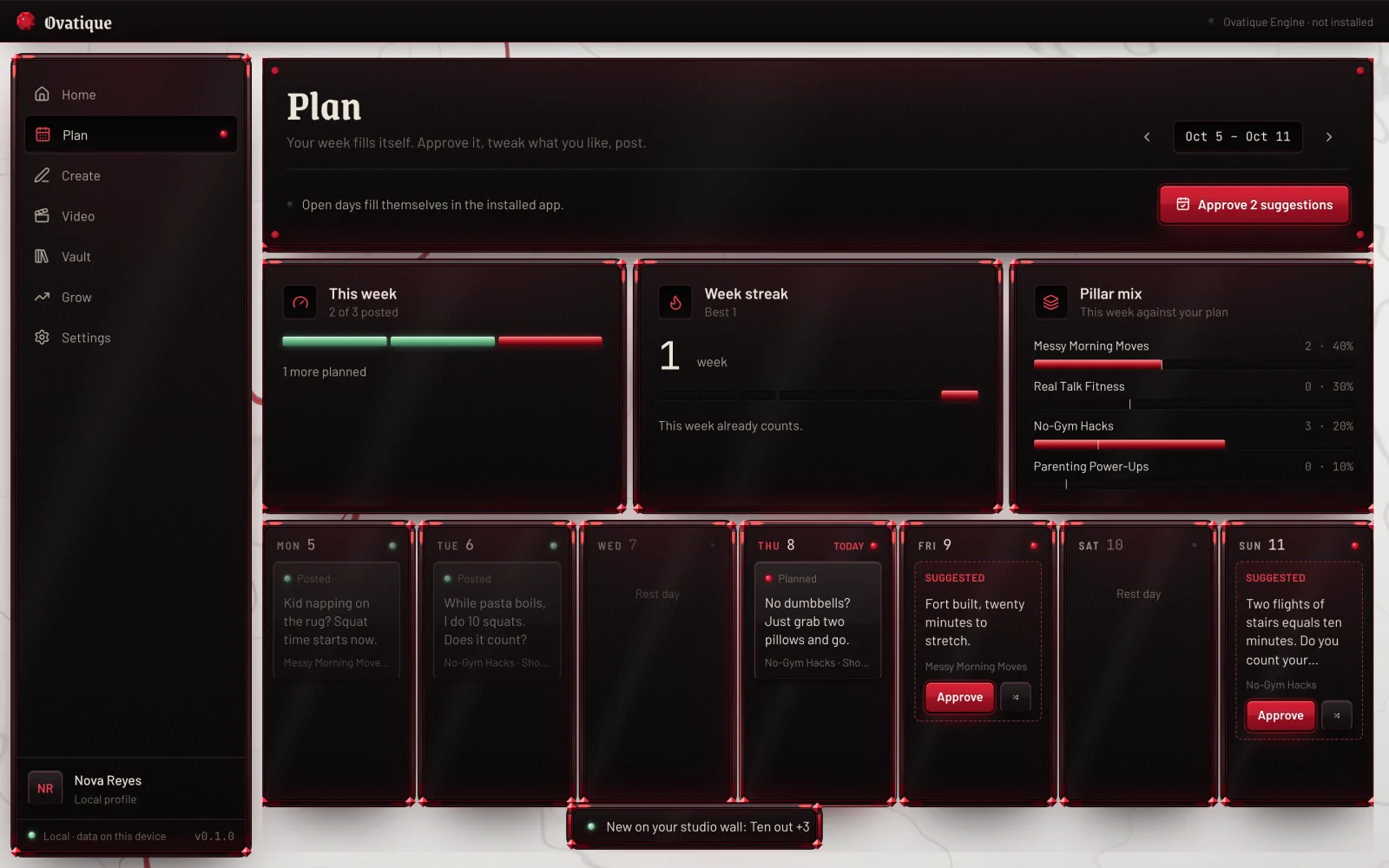
Posted, planned and suggested posts for each day. The studio keeps the gaps filled — you approve with one tap.
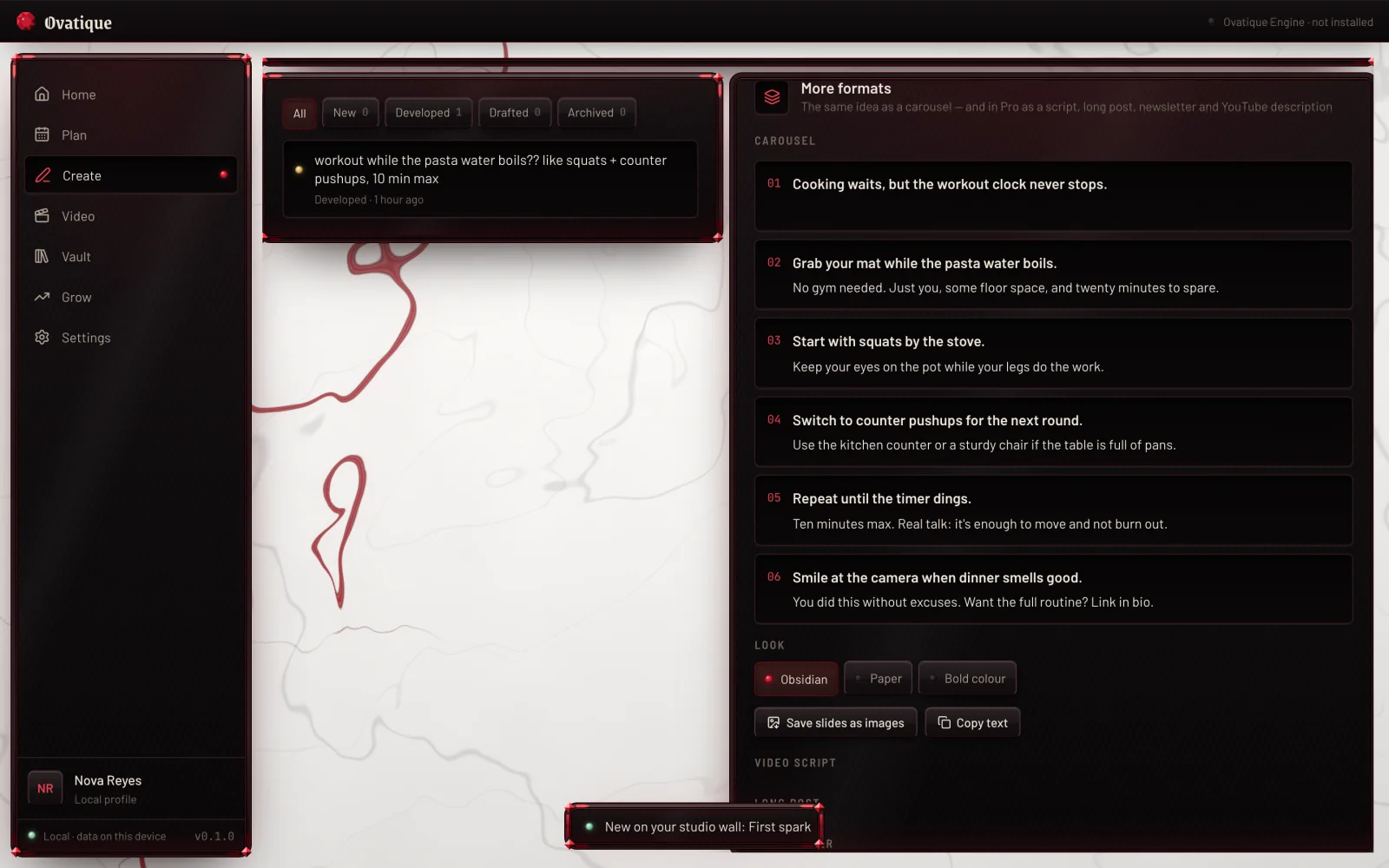
One idea becomes a version for every place you post — inside each platform's own limits, from its own published rules.
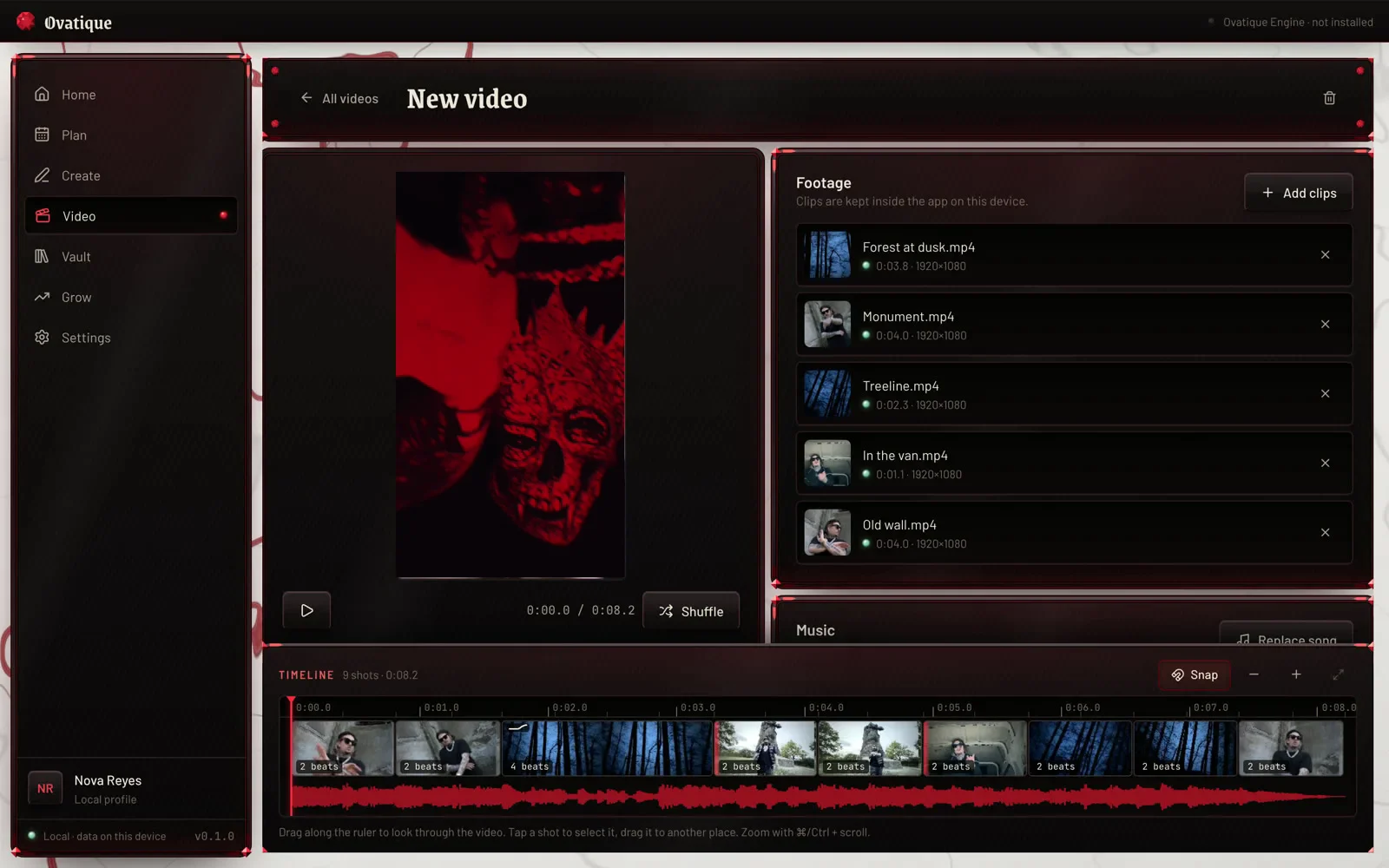
Beat edits, montages and talking videos — planned from your style, then yours to change shot by shot.
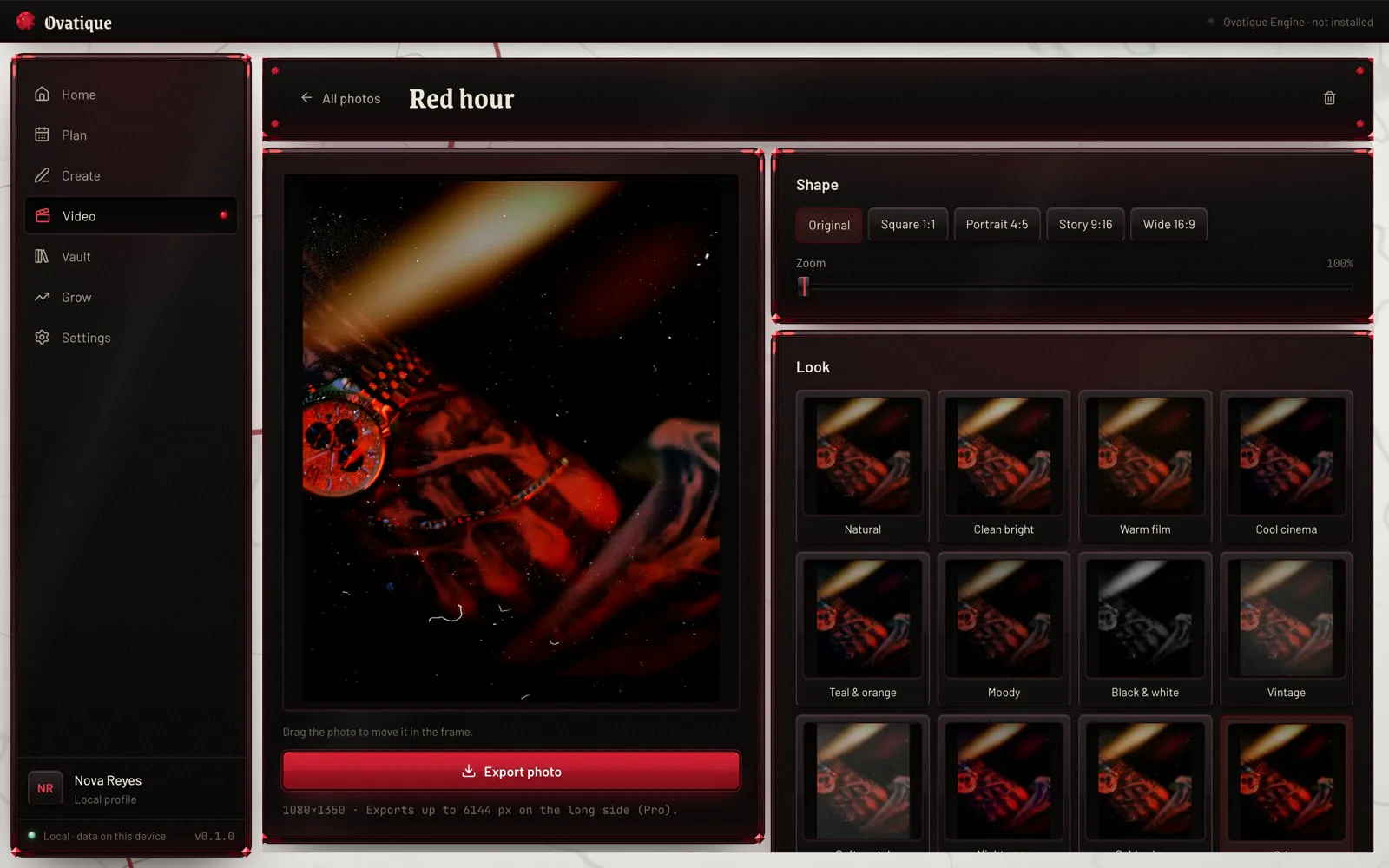
The same looks and colour tools as your videos, framed for each platform's shape — your feed looks like one body of work.
Type in what your apps show. The studio finds what works for you and steers next week's plan toward it.
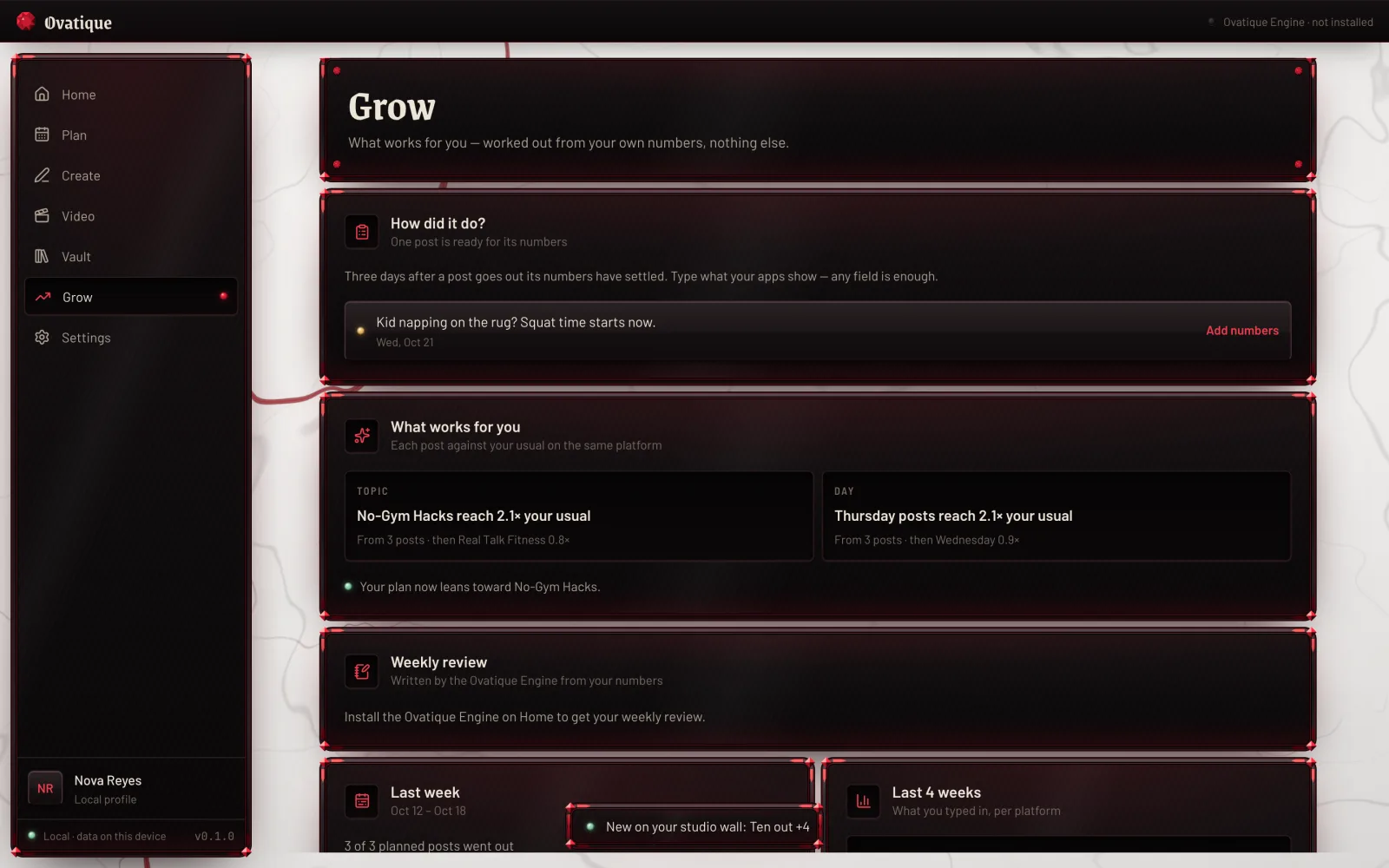
Screens show a sample profile.
One creator's music video and reels. Bring clips like these — Ovatique cuts them to the beat, in one look, for every platform. Press play, sound on.
Edited in Ovatique · vertical for Reels, TikTok, Shorts
Takes filmed to the song line up with the track by themselves.
Cuts land on the beat; the drop gets its moment.
One cinematic look across every shot, from any camera.
Ramps, shakes and flashes where the music hits PRO
Your audience can only find what you post. Ovatique keeps your posting days filled, so busy weeks stop turning into silent ones.
Illustration of one creator's month with 14 planned posting days — not a customer's result. How many people see your posts depends on your content and each platform; what Ovatique changes is how often you show up.
The Ovatique Engine writes and the video studio edits on your own computer. That's why there are no credits to run out of.
Nothing is uploaded. Your profile, drafts, footage and exports never leave your computer.
Develop ideas, write captions and export videos as often as you like. No watermark.
An app lock if you share your Mac, and backups you can encrypt with your own password.
| Compared | Ovatique | Typical online AI tools |
|---|---|---|
| Your footage and ideas | Stay on your Mac | Uploaded to their servers |
| How much you can make | No credits, no caps | Monthly credits, minutes or video limits |
| Getting started | No prompts — it works from your profile | A blank box to type into |
| Your week | Plan, write, edit and check in one app | One tool for each job |
| CapCut Pro — video editing | 19.99 USD |
| Later — content planning (lowest plan, billed yearly) | 18.75 USD |
| ChatGPT Plus — writing | 20.00 USD |
| Every month | 58.74 USD |
Ovatique Standard — planning, writing in your voice and video editing in one app.
See the plansPrices from each company's own pricing page, 15 October 2026, in US dollars before tax. Each of those tools does more of its own job; Ovatique brings the work of a creator's week together in one place.
Pay monthly, or yearly and get four months on us. Cancel any time. Standard starts with three free days.
Everything to plan, write and edit short videos every week.
For long videos, music videos and a fully professional finish.
| Feature | Standard | Pro |
|---|---|---|
| Plan and write | ||
| Self-filling weekly plan, ideas, vault | ✓ | ✓ |
| Captions for 10 platforms, disclosure labels, Ready check | ✓ | ✓ |
| Carousels, shot lists, replies to comments | ✓ | ✓ |
| Launch week | ✓ | ✓ + teasers, behind the scenes, last call |
| One idea in every format, your own phrases, weekly pack, brand check | — | ✓ |
| Video | ||
| Length and quality | Up to 90 s, vertical, 1080p | Up to 10 min, any shape, 4K, 60 fps |
| Beat edits, montages, talking videos, captions from speech, covers | ✓ | ✓ |
| Looks · transitions · effects · caption styles | 12 · 10 · 7 · 8 | 63 · 41 · 53 · 34 |
| Best moments into shorts, music videos, reference style | — | ✓ |
| B-roll, voice-over, speed ramps, keyframes, timeline | — | ✓ |
| Clean cut, voice clean-up, music removal behind a voice | — | ✓ |
| Colour wheels, curves, your own LUTs; YouTube thumbnails | — | ✓ |
| Photos and growth | ||
| Photo framing, looks, colour, alt text | ✓ | ✓ + advanced colour |
| What works for you, milestones, highlights | ✓ | ✓ + weekly review, series finder |
| Brand deals and media kit | ✓ | ✓ + rate card and quotes |
| Always included | ||
| Runs on your Mac, no credits, no watermark, app lock, backups | ✓ | ✓ |
| Devices per licence | 2 | 2 |
Prices in US dollars. Tax is shown at checkout — added in the US, Canada and India, included elsewhere. One licence works on two devices. Free days are once per device.
Right now, for Macs with Apple silicon. Pick a plan under Pricing — Standard starts with three free days.
Right after checkout, your licence key and the Mac download are waiting in your purchase account — you sign in there with your purchase email. Open the app, enter the email and the key, and your studio sets itself up. The first time, your Mac asks you to confirm the app once in System Settings; our install guide shows the one extra click.
Macs with Apple silicon (M1 or newer). The first start downloads the Ovatique Engine once — about 3.5 GB — and about 0.7 GB more if you turn on image descriptions, so keep some free space.
Standard has everything to plan, write and edit short vertical videos every week. Pro adds long videos up to 10 minutes in 4K and 60 fps, music videos, B-roll, voice-over and voice tools, the full library of looks, transitions, effects and animated captions, and Pro writing tools. See Compare every feature.
No. The Ovatique Engine is built in and runs on your Mac. You can't, and don't need to, connect other AI accounts.
The Standard studio with a few limits — three idea developments a day. Your plan starts automatically when they end, unless you cancel before that. Pro is paid from the first day.
No. Your profile, ideas, drafts, footage and exports stay on your Mac. Ovatique only contacts the store to confirm your licence, and downloads its engine once.
Cancel any time in your purchase account — in the app, Settings › Manage plan. Your plan runs to the end of the period you paid for. See refunds and cancellations.
They're on the way — leave your email and you get one message when they arrive. One licence works on two devices, so your phone will be covered too.
Every review on this page will come from a real creator. After your first week, write to support@ovatique.com — honest words, good or bad — and the best ones go here with your name and handle.
Answer a few questions, start your three free days, and your first week of content starts filling itself.
Not on a Mac? Leave your email — one message when Ovatique comes to Windows and phones.